

Audit Log
The Audit Log keeps a complete record of everything that happens in your organization’s Staff Compliance Manager — who did what, when, and from where. This is especially useful when you need to provide evidence for a compliance audit or simply want to understand what has been going on.
Viewing the Audit Log
Section titled “Viewing the Audit Log”Click Audit Log in the sidebar.
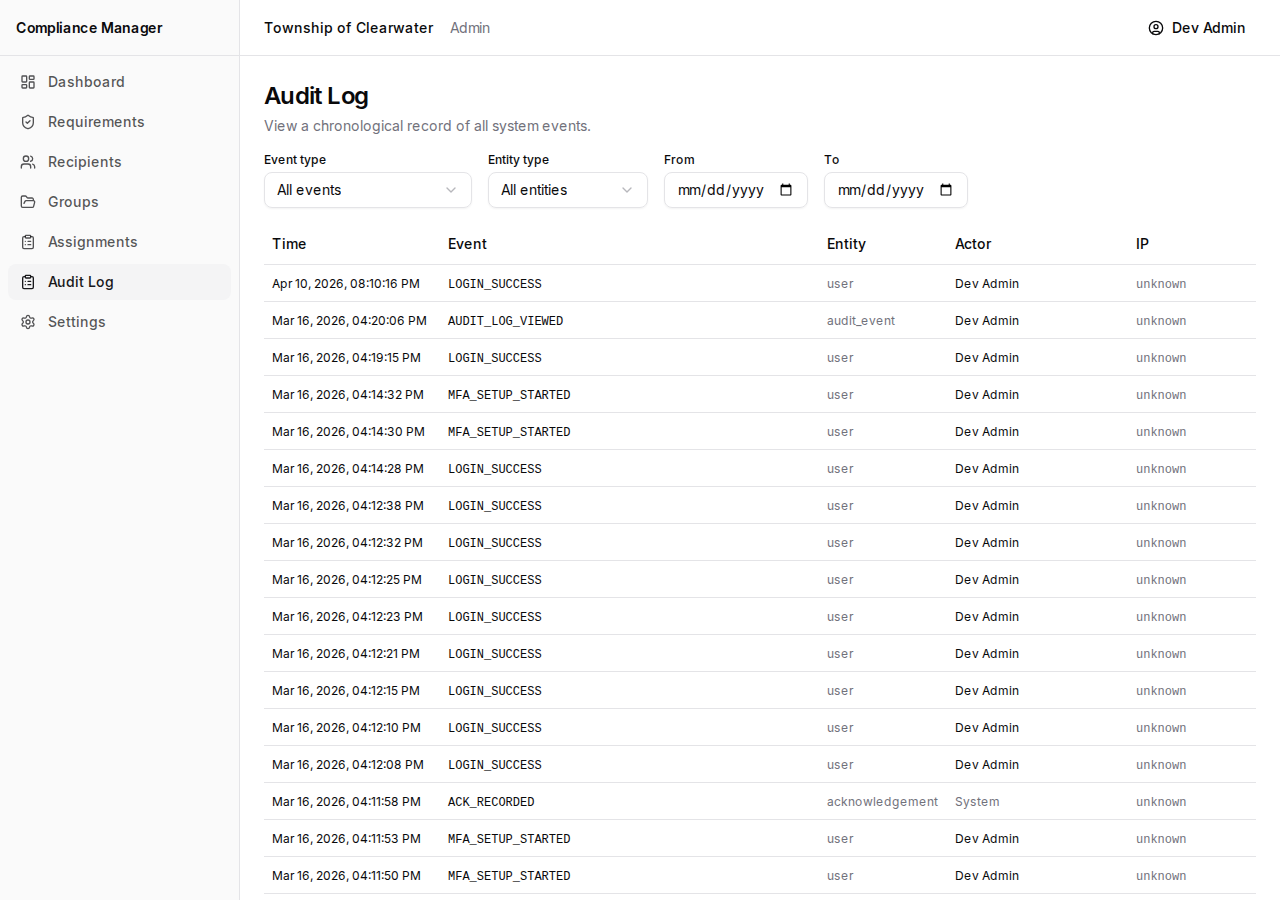
The table shows one row for each event, with the following columns:
- Time — the date and time the event occurred.
- Event — what happened. Examples include
LOGIN_SUCCESS,ACK_RECORDED,DOCUMENT_CREATED, andCAMPAIGN_PUBLISHED. - Entity — the type of thing that was affected (for example, a user, a document, or a campaign).
- Actor — who performed the action. This is either a person’s name or “System” for automated events.
- IP — the IP address of the device that triggered the event.
Pages show 25 events at a time. Use the pagination controls at the bottom to move between pages.
Filtering Events
Section titled “Filtering Events”You can narrow down the log to find exactly what you are looking for.
- Event type — use this dropdown to see only a specific kind of event (for example, only acknowledgements or only logins).
- Entity type — use this dropdown to filter by the type of thing that was affected.
- From and To date pickers — set a date range to see only events that happened within a certain period.
Click Reset to clear all filters and return to the full, unfiltered log.
You can combine filters. For example, you could filter by the event type ACK_RECORDED and set a date range for the past week to see all acknowledgements that came in recently.
Common Event Types
Section titled “Common Event Types”Here are some of the events you will see most often and what they mean:
| Event | What it means |
|---|---|
LOGIN_SUCCESS | Someone signed in to the application. |
ACK_RECORDED | An employee acknowledged a policy or confirmed training completion. |
DOCUMENT_CREATED | A new compliance requirement was created. |
DOCUMENT_PUBLISHED | A compliance requirement was published and is now available for assignments. |
CAMPAIGN_PUBLISHED | An assignment was published and email notifications were sent to recipients. |
If you see an event you do not recognize, the event name usually describes itself — for example, CAMPAIGN_CLOSED means someone closed an assignment.